Deductions and the evidence behind them
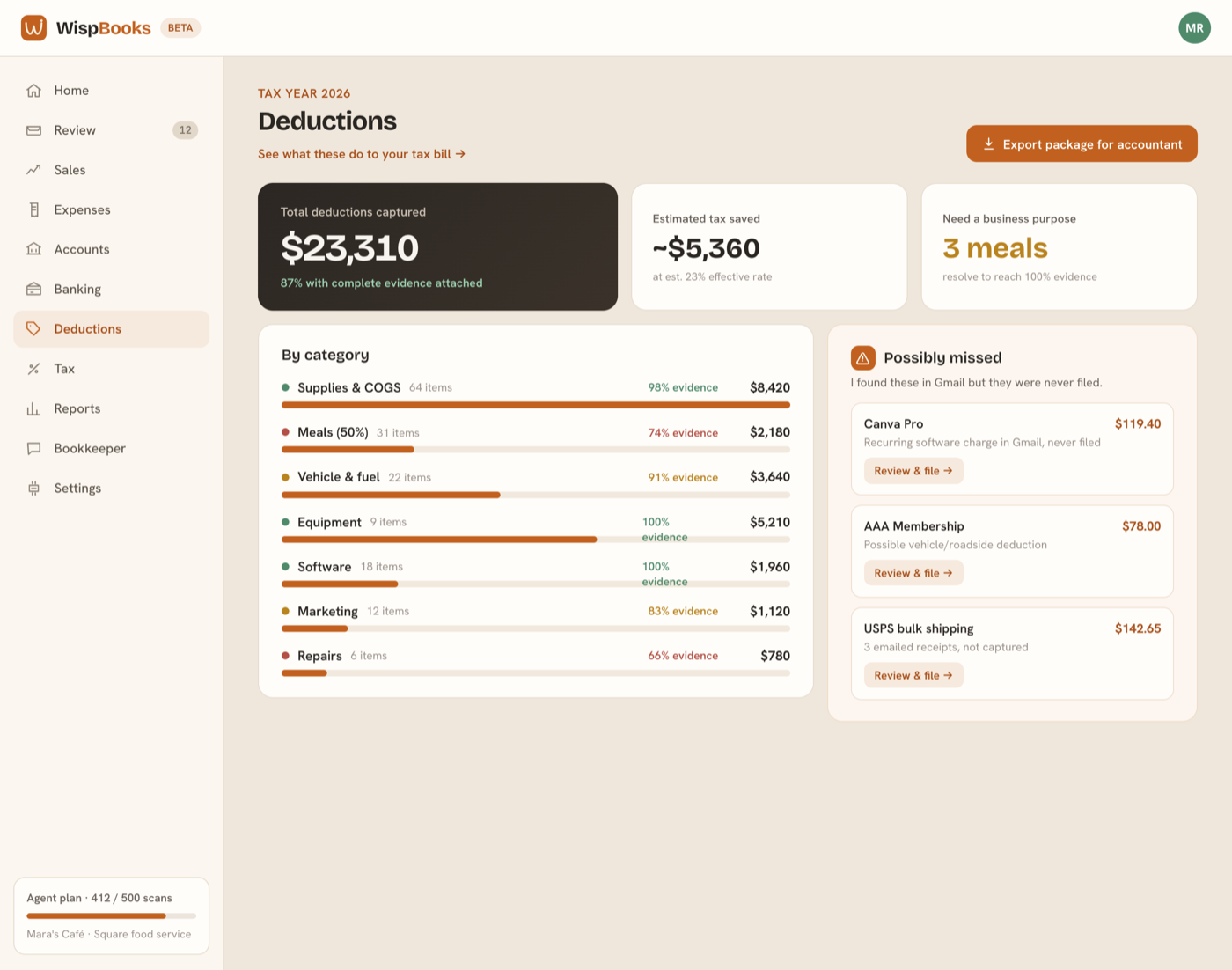
Books → Deductions is your tax year in one view: what's claimed, what's missing evidence, and what your kind of business says you might be forgetting.
Evidence completeness
A deduction is only as good as what supports it. WispBooks tracks whether each one has a receipt image, a merchant, a date, an amount, and — where it's required — a business purpose. Items missing a piece are listed so you can fix them while you still remember the lunch, not eleven months later.
Meals and the 50% rule
Business meals are generally half deductible and need a purpose recorded: who you were with and why. When WispBooks sees a restaurant charge it asks that question rather than guessing, because the answer changes the number.
Missed-deduction prompts
Your business type comes with a checklist. A café that has never claimed cleaning supplies, or a salon with no product cost, gets a prompt — not an automatic entry. You confirm anything that becomes a deduction.
The tax preview is a projection
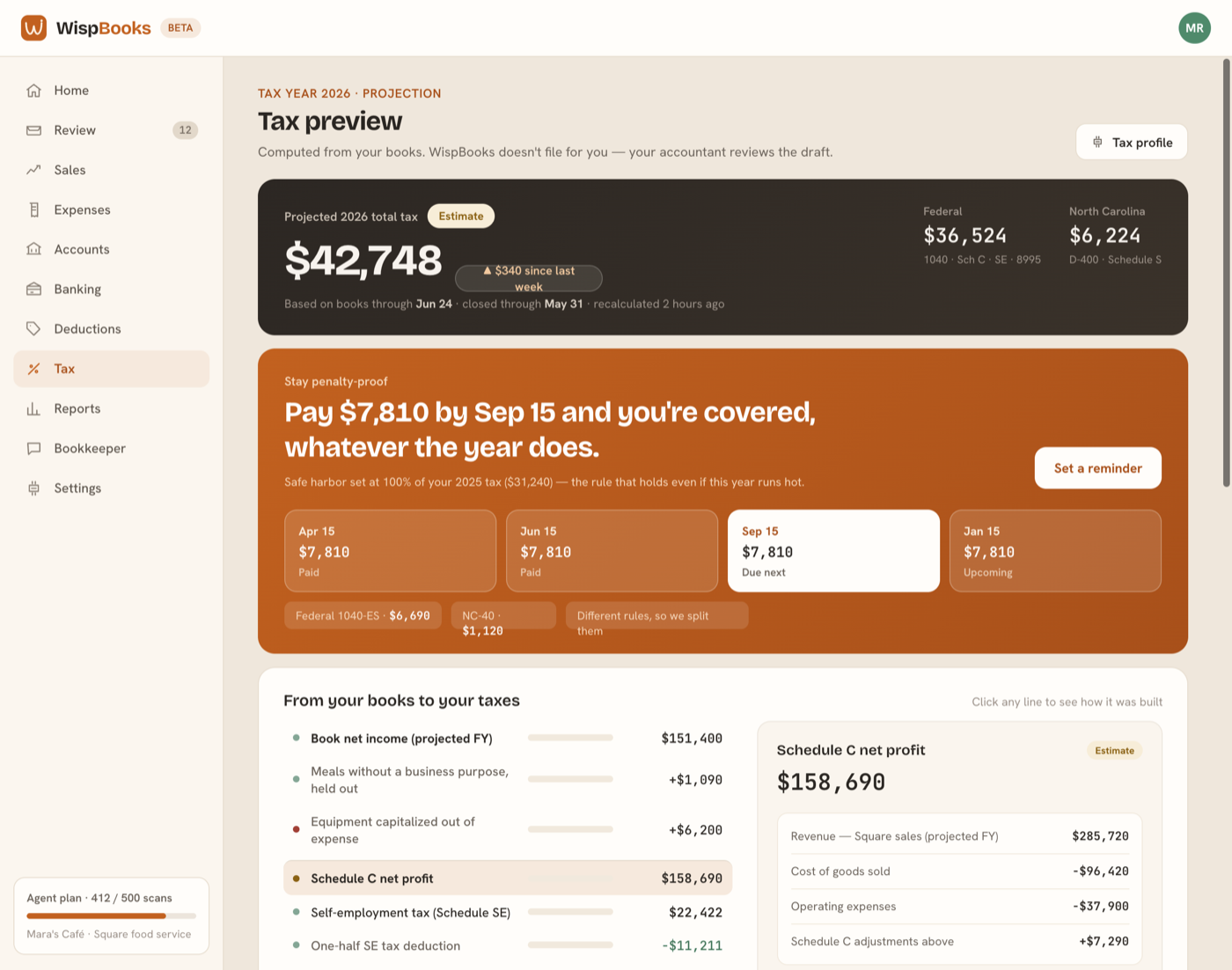
Books → Tax estimates what you may owe from your current books: Schedule C profit, self-employment tax, the qualified business income deduction, your federal total, and your state line. Every figure is computed by a fixed, year-versioned rule set — the AI can suggest how an account should map, but it never computes a number.
The bridge shows each book figure and the tax line it feeds, with the provenance behind it: which accounts, which entries, and whether the figure is exact, an estimate, or waiting on something from you. Resolve a needs-review item and the total moves in front of you.
Quarterlies and safe harbor
The preview also shows the four estimated-payment dates and what a safe-harbor payment would be — enough tax paid during the year, usually measured against last year's bill, to avoid an underpayment penalty. Entering last year's figures under Settings → Tax makes that number real rather than indicative.
WispBooks doesn't file for you, and this isn't tax advice. The preview is a projection from your own books, meant to remove the surprise — not a return, and not a substitute for your accountant's judgment on any position.